Photographing Lunar Terminator Craters With a Smartphone
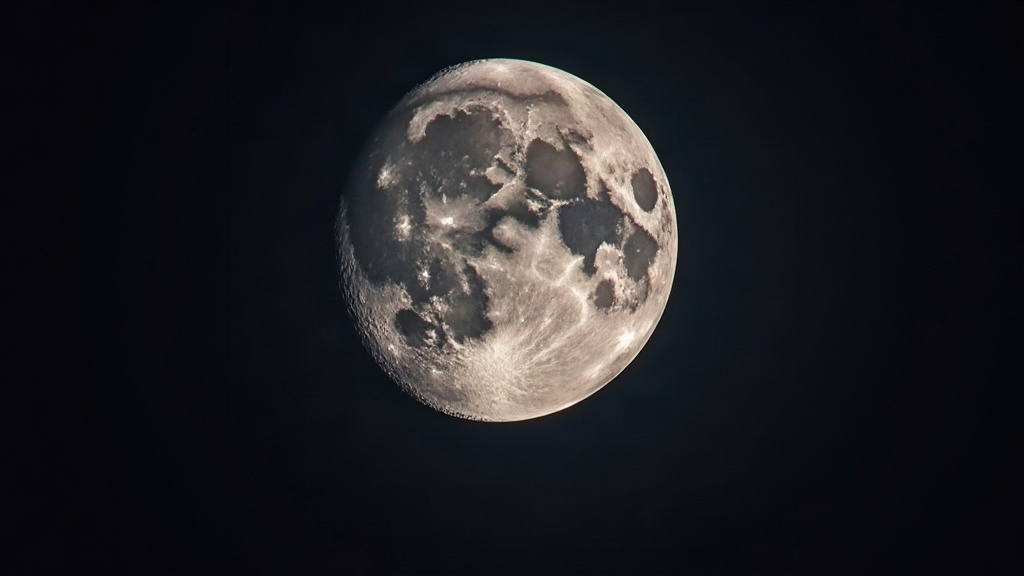
Photographing lunar terminator craters with a smartphone through the eyepiece is one of the most rewarding entry points into astrophotography. No DSLR. No tracking mount. No expensive camera body sitting in a drawer waiting for a “someday” upgrade. The terminator, that shifting line between the Moon’s day and night sides, is where shadows stretch long across crater floors and mountain ranges, pulling out a dramatic 3D texture that a fully lit full Moon just can’t deliver. This guide walks through exactly how to capture that detail with nothing more than a telescope, an eyepiece, and the phone already in your pocket.
Why the Terminator Is the Best Target
At the terminator, sunlight hits the lunar surface at a low, grazing angle. That’s what produces:
- Long shadows that exaggerate crater rims, central peaks, and rilles
- High contrast between illuminated ridges and dark crater interiors
- Constantly changing views, since the same crater looks different every single night as the terminator sweeps across it
Craters like Copernicus, Tycho, Plato, and Clavius turn genuinely spectacular right around sunrise or sunset on the lunar surface. A full Moon, on the other hand, looks flat and washed out, because sunlight is hitting it almost straight on. No shadows, no depth, just a bright gray disk.
What You Actually Need
- A telescope (even a small 70-90mm refractor or a tabletop reflector will do the job)
- An eyepiece with 15-25mm focal length for a decent field of view (shorter eyepieces zoom in more, but the image gets shakier)
- A smartphone with manual camera controls, or a third-party app that gives you them
- A phone-to-eyepiece adapter (a $15-30 clamp works fine; handheld is technically possible, but honestly, it’s maddening)
- A sturdy tripod-mounted telescope, because even tiny vibrations will wreck fine crater detail
This technique has a name: afocal photography. You’re essentially photographing the image the eyepiece projects, the same way your own eye would see it.
Step-by-Step Process
1. Center and Focus Visually First
Before you even touch the phone, center the target crater in the eyepiece and nail the focus with your own eye. Any sloppiness here carries straight through to the final photo. There’s no fixing a bad focus later.
2. Mount the Phone With an Adapter
Line up the phone’s camera lens directly over the eyepiece’s exit pupil, that small bright circle of light you notice when you hold your eye slightly back from the eyepiece. Get this off-center even a little, and you’ll see vignetting (a dark ring creeping in around the image).
3. Switch to Manual Camera Settings
Use your phone’s Pro or Manual mode if it has one:
- ISO: Keep it low, 50-200. The Moon is bright enough on its own, and pushing ISO just adds noise
- Shutter speed: Start around 1/60 to 1/125 second
- Focus: Set it manually and nudge it until crater edges look crisp on your screen. Don’t trust autofocus here, it’ll hunt and miss
- Exposure compensation: Pull it down slightly (-1 to -2 EV) to keep that shadow contrast at the terminator intact
4. Zoom Digitally With Care
Use your phone’s native zoom, but sparingly, just enough to fill the frame without the image dissolving into mush. Over-zooming on an afocal setup almost always does more harm than good.
5. Shoot in Bursts
Atmospheric turbulence (astronomers call it “seeing”) blurs individual frames in unpredictable ways. Fire off 20-50 shots in a burst, then pick out the sharpest ones. Or better yet, shoot a short video and pull frames from that instead.
Stacking for Extra Detail
Want genuinely crisp crater rims? Record a 10-20 second video clip through the eyepiece and run it through free stacking software like AutoStakkert!, or a mobile app such as Astro Stack. Stacking combines hundreds of frames, cancels out the atmospheric wobble, and sharpens fine terminator detail dramatically. It’s the difference between a decent phone shot and something that looks like it rolled off a dedicated planetary camera.
Best Times to Shoot
- First quarter Moon: the terminator crosses Copernicus, Archimedes, and the Apennine Mountains
- Last quarter Moon: the terminator lights up Tycho, Clavius, and the southern highlands
- Avoid shooting the Moon too close to the horizon. Atmospheric distortion is far worse down there than when the Moon sits higher in the sky
Common Mistakes to Avoid
- Shooting a full Moon and expecting crater detail (it’ll just look flat, every time)
- Cranking up ISO “to brighten the image” when the Moon is already plenty bright
- Skipping a tripod or clamp. Handheld afocal shots are almost always a blurry mess
- Over-applying sharpening filters that leave unnatural halos ringing the craters
Conclusion
You don’t need a cooled CMOS camera or a motorized mount to pull off genuinely impressive lunar shots. Just a telescope, a basic eyepiece adapter, and a smartphone set to manual mode. Aim at the terminator, keep your settings conservative, shoot in bursts or short videos, and stack your best frames afterward. Give it one or two clear nights of practice, and you’ll end up with crater shots sharp enough to rival setups costing ten times as much.